Finding a profitable wallet is only the beginning of setting up a copy trade. Before confirming a task, you should be able to explain what will trigger a purchase, how much it can spend, what will trigger a sale, and what happens if execution fails. This guide uses GMGN’s Solana web interface to explain those checks.
Find WalletCopy and distinguish it from tracking
On GMGN’s verified website, open CopyTrade and then WalletCopy. At the time of capture, the page required an eligible account to sign in. Follow the requirements shown in the current interface, including how the trading wallet is controlled. Tracking an address or receiving an alert tells you what it has done. An automated copy task can use funds in your trading wallet. Creating that task is a separate decision.
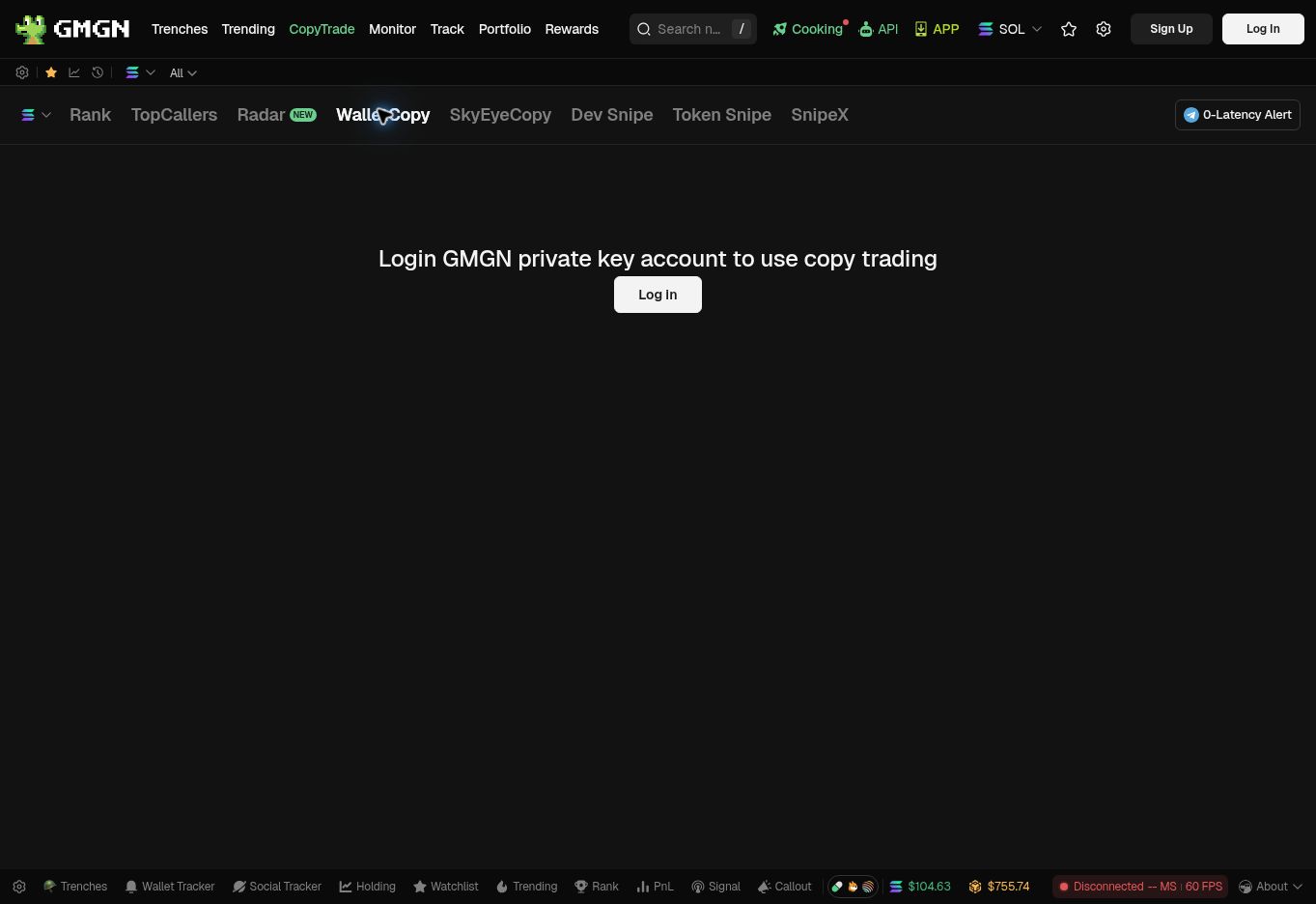
- WalletCopy is the wallet automation entry within CopyTrade.
- The current page requires an eligible GMGN account. Understand the account and wallet control model before proceeding.
Before entering a target, check the network and complete wallet address. A matching display name or avatar is not sufficient. Also confirm which of your wallets will execute the task and who can authorize transactions from it. This article uses public pages and official documentation; no trading account was accessed and no live trade was executed.
Read the buying and selling rules together
The official guide describes fixed buying and a maximum buy amount. Fixed buying uses your chosen amount per purchase; the maximum method relates each purchase to the target’s amount and your limit. A per-purchase limit is not necessarily a budget for the whole task. For example, twenty purchases of 0.1 SOL would commit 2 SOL before costs. These are illustrative numbers, not suggested amounts. GMGN copy-trading guide
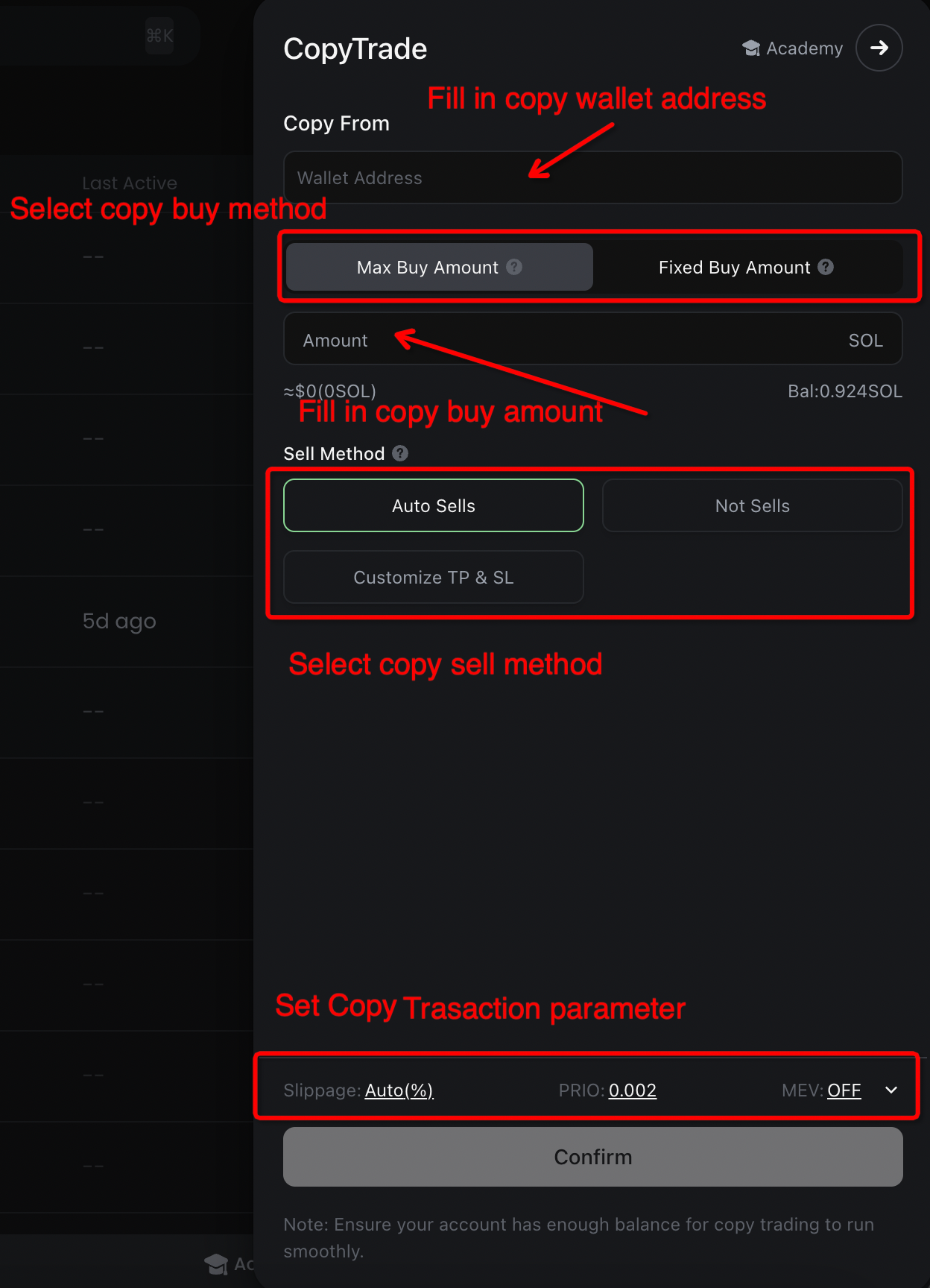
Next, inspect the sell rule: following the target, selling manually, or using your own take-profit and stop-loss conditions can produce different outcomes. The documentation explains which copied positions follow a target’s sale and how that interacts with custom exits. Do not assume the word “automatic” means every token in the wallet will be managed. Before saving, write down your intended trigger, amount, exit and responsibility for anything left open.
Slippage and fees need their own budget
A larger slippage allowance accepts a wider range of execution prices, including worse ones. It does not guarantee a successful or profitable trade. Account for network costs, priority fees and platform charges as well as the price of the token. GMGN’s fee documentation lists its charges, but check the current transaction interface before execution. GMGN fees and settings
Consider another hypothetical calculation. If additional costs total 0.004 SOL for each buy-and-sell cycle, twenty-five cycles cost 0.1 SOL. Frequent small trades can therefore consume a substantial part of a small balance. The priority fee, slippage and MEV toggle in a tutorial screenshot are examples, not universal settings to copy. Your trade size, available liquidity and tolerance for losses may be entirely different.
Check execution after creating a task
Review any advanced filters, such as liquidity, market-cap or token-age conditions, that could exclude a target transaction. If a trade is missed, inspect its status, available balance, filter settings and any transaction hash before increasing fees. Check whether the task has paused and what the recorded failure means. GMGN’s execution-failure guidance
When stopping, verify that the task is paused or closed, then separately inspect existing holdings and orders. Whether an inactive task continues managing an old position depends on its actual rules. Stopping new purchases is not evidence that the wallet is flat. A usable setup is one you can explain, monitor and stop without guessing what the automation is doing.
← Back to Upwell Insights